
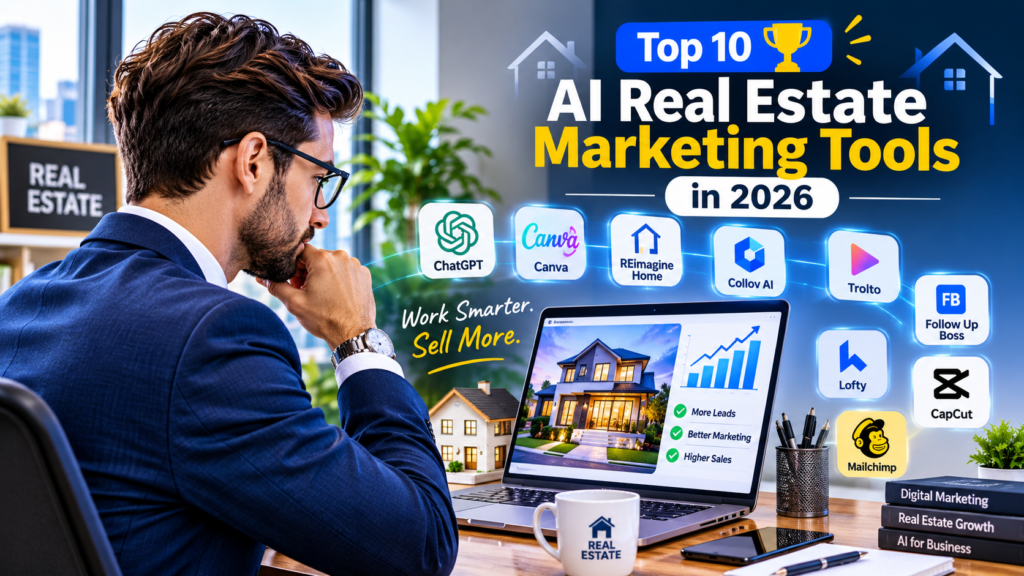
10 Best AI Real Estate Marketing Tools in 2026
Comparison guide · By the ProAICompass Editorial Team · Updated October 2026
Some links on this site may be affiliate links, which means we may earn a commission at no extra cost to you. See our Affiliate Disclosure.
Real estate marketing never stops. Every listing needs a description, photos that show well, social posts, follow-up emails, and a way to keep leads from going cold. AI software can take some of that repetitive work off your plate, but no single tool does all of it.
This guide compares 10 AI real estate marketing tools by the job each one does: listing copy, graphics, virtual staging, video, lead follow-up, 3D tours, and email. It’s written for US agents, brokerages, and marketing teams who want to know what each tool is good at, where it falls short, and what it costs before they sign up.
Looking for a broader overview instead? Start with our guide to the best AI tools for real estate agents.
Quick Comparison: Best AI Real Estate Marketing Tools
| Tool | Best for | Main advantage | Pricing notes |
|---|---|---|---|
| ChatGPT | Listing copy and content | Flexible writing and brainstorming | Free and paid plans |
| Canva | Property graphics and social posts | Templates and AI-assisted design | Free and paid plans |
| REimagineHome | Virtual staging | AI room redesign from photos | 5 free designs; paid pricing varies |
| Collov AI | Virtual staging at volume | Staging plus photo editing | From $19/month |
| Trolto | Listing videos and social marketing | Bundles content and marketing services | Starter listed at $59/month |
| Follow Up Boss | Lead follow-up and CRM | Centralizes leads and automates follow-up | From $69/user/month |
| Lofty | AI-assisted lead nurturing | CRM and marketing in one platform | Custom pricing |
| Matterport | 3D property tours | Immersive virtual walkthroughs | Free plan; paid plans available |
| CapCut | Short-form listing videos | Social-ready video editing | Varies by region; verify |
| Mailchimp | Email campaigns | Audience management and automation | Based on plan and contact count |
Prices come from official or published sources reviewed in October 2026. Features, limits, and prices change often, so confirm everything with the provider before you buy. Where we couldn’t confirm a current price, we say so instead of guessing.
How We Evaluated These Tools
This is a research-based comparison, not a claim that we tested every product hands-on. We looked at each tool’s official information and published pricing, then judged it on five practical questions:
- Marketing value: Does it solve a clear problem, like writing listing copy or staging a vacant room?
- Workflow fit: Can an agent use it without adding complexity?
- Business value: Is there a credible path to saving time or improving consistency?
- Pricing clarity: Can you understand the likely cost before committing?
- Limits and risks: What still needs human review, manual work, or another subscription?
These tools aren’t interchangeable. A writing assistant, a staging tool, and a CRM solve different problems, so the right pick depends on what’s slowing you down.
1. ChatGPT: Best for Listing Copy and Marketing Content
Best for: Solo agents, marketing coordinators, and small brokerages.
ChatGPT is a general-purpose AI assistant. Its main strength is flexibility. One tool can draft listing descriptions, social captions, email sequences, open-house announcements, and content calendars, so you don’t need a separate writing tool for each job. Official site
For better results, give it verified facts: square footage, bedrooms, location, upgrades, and confirmed amenities. Tell it not to invent features or make claims about the neighborhood. Want prompts you can copy? See our guide to writing real estate listing descriptions with ChatGPT.
Pros
- Handles many marketing tasks in one place
- Useful for drafting, editing, and repurposing content
- Follows detailed instructions and brand guidelines
Cons
- Doesn’t know whether the property details you give it are correct
- Produces generic copy without specific inputs
- Needs human review for fair housing compliance, accuracy, and brand voice
Pricing: OpenAI offers a free plan and paid plans, including Plus, listed at $20 per month when we reviewed it. Confirm current pricing and regional billing before subscribing.
Choose it if you spend too much time writing and rewriting marketing copy.
2. Canva: Best for Real Estate Graphics and Social Media
Best for: Agents who make their own marketing materials.
Canva turns property photos and listing details into social graphics, flyers, presentations, and branded materials. Its templates and AI-assisted design tools help agents without an in-house designer. Official site
A practical setup: build one property-launch template with your logo, contact details, and call to action. For each new listing, swap in the photos and details instead of designing from scratch.
Pros
- Easy to learn for everyday marketing design
- Supports many content formats
- Keeps your visual identity consistent
Cons
- Popular templates can make different agents’ marketing look alike
- Some assets and AI features need a paid plan
- Weak source photos or too much text still produce weak results
Pricing: Canva offers free and paid plans, including Pro and team options. AI allowances and stock content depend on the plan, so check the current price for your region.
Choose it if you want professional-looking graphics without hiring a designer for every asset.
3. REimagineHome: Best for AI Virtual Staging
Best for: Agents marketing vacant or dated properties.
REimagineHome redesigns interior and exterior spaces from photos. For real estate, that means virtual staging, image enhancement, and batch processing, which helps when you have a whole gallery to prepare. The official site advertises five free designs with no credit card and a workflow that handles up to 50 photos in one batch. Limits depend on your plan. Official site
Virtual staging is a presentation aid, not a replacement for an accurate photo. Keep the original image, and disclose digitally altered visuals as MLS rules, platform policies, and local law require. For more options, see our guide to the best AI virtual staging tools for real estate agents.
Pros
- Built around visual property marketing
- Cheaper and faster to coordinate than physical staging
- Offers several design styles from the same photo
Cons
- Generated furniture or finishes may not match reality
- Results can distort architectural details, so inspect every image
- Check plan limits and commercial-use terms before using it at scale
Pricing: Five free designs are advertised. Paid pricing varies, so confirm current plans on the official site.
Choose it if you regularly market vacant homes and want more than basic photo editing.
4. Collov AI: Best for Virtual Staging and Photo Editing at Volume
Best for: Agents and teams that prepare listing photos often.
Collov AI pairs virtual staging with photo editing built for real estate. Depending on the plan, that includes furniture editing, twilight conversion, and lawn or pool enhancements, plus high-resolution downloads and a commercial photo license. Official site
Pros
- Real estate-specific visual workflows
- More editing options than a staging-only tool
- Clear plan tiers with monthly photo credits
Cons
- Usage is capped by your plan’s photo credits
- Some features need higher tiers
- Altered images must be reviewed so they don’t misrepresent the property
Pricing: Collov AI’s published monthly plans:
| Plan | Price | Photo credits |
|---|---|---|
| Standard | $19/month | 60 |
| Advanced | $49/month | 150 |
| Premium | $79/month | 263 |
| Enterprise | $127/month | 526 |
Yearly billing and extra-photo charges are also listed. Check the billing period and current terms before you buy.
Choose it if you need a steady staging workflow and want to match monthly usage to a clear budget.
5. Trolto: Best for Listing Videos and Ongoing Marketing
Best for: Agents who struggle to publish consistently.
Trolto combines property marketing with services such as listing videos, AI virtual staging, social media management, website tools, and local SEO. It’s broader than a single-purpose video editor, which suits agents who want help keeping a regular publishing schedule.
Pros
- Several marketing activities in one subscription
- Property-focused video and content features
- A free trial is listed on its pricing page
Cons
- An all-in-one package may be more than you need if you only want video
- Confirm which social platforms and integrations are supported
- Judge any claims about traffic or leads against your own results
Pricing: When we reviewed its pricing page, Trolto listed Starter at $59 per month and Pro at $99 per month, with a custom-quote Enterprise option and a seven-day free trial. Confirm current pricing directly.
Choose it if you want a repeatable listing-marketing routine, not one more standalone editing tool.
6. Follow Up Boss: Best for Lead Management and Follow-Up
Best for: Teams that get leads from several sources.
Getting inquiries is only half the job. You also need to reply fast, assign leads to the right person, and stay in touch with people who aren’t ready yet. Follow Up Boss is a real estate CRM built to centralize that work. Official site
Typical features include lead integrations, Smart Lists, automated follow-up through Action Plans, calling, texting and email (depending on plan), and reporting by agent and lead source. It organizes and nurtures leads. It doesn’t guarantee they’ll convert. For more options in this category, see our top AI lead generation tools for real estate agents.
Pros
- Focused on real estate lead workflows
- Supports lead routing and follow-up automation
- Includes AI features on some plans
Cons
- It’s a CRM, not a property-advertising service
- Calling is a paid add-on on the entry plan, so the real cost per agent is higher than the headline price
- Teams need clear processes to avoid duplicate or badly timed follow-ups
Pricing:
| Plan | Monthly billing | Annual billing equivalent |
|---|---|---|
| Grow | $69/user/month | $58/user/month |
| Pro | $499/month (10 users) | $416/month |
| Platform | $1,000/month (30 users) | $833/month |
Published figures put the calling add-on on Grow at about $39 per user per month (or $33 billed annually). Taxes, add-ons, and extra-user rates may apply. Verify the latest details on the official pricing page.
Choose it if leads come in from portals, websites, ads, and referrals, but follow-up is inconsistent.
7. Lofty: Best for AI-Assisted Lead Nurturing
Best for: Teams that want CRM and marketing in one place.
Lofty is a real estate platform that combines CRM and marketing workflows, including lead capture, routing, automated nurture campaigns, and AI-assisted engagement. It’s worth evaluating if you’d rather not stitch several disconnected tools together. Official site
Before you commit, map how new inquiries enter the system, how they’re assigned, and when a human agent takes over. Test how AI-written messages get reviewed before they go out.
Pros
- Designed around real estate workflows
- Can consolidate several lead-management tasks
- AI-assisted automation may reduce repetitive follow-up
Cons
- A connected platform takes time to set up properly
- Features vary by package and integration
- Needs a clear review and handoff process for AI messages
Pricing: We couldn’t verify a standard public price. Lofty appears to direct prospects to request a quote. Ask about setup fees, user seats, integrations, and contract terms.
Choose it if you want to evaluate an integrated CRM and nurture workflow, and you’re willing to talk to sales.
8. Matterport: Best for 3D Property Tours
Best for: Agents and property teams marketing spaces remotely.
Matterport creates immersive 3D tours that let buyers or renters walk through a property online. Its value is spatial presentation, not written marketing content. For out-of-area buyers, a good tour can help them understand the layout before they schedule a visit. Official site
Pros
- More informative than still photos alone
- Supports remote viewing and measurements
- Offers a free entry-level plan for evaluation
Cons
- Capturing a good tour takes time and suitable equipment, or a capture service
- Higher plans can get expensive for large portfolios
- A tour doesn’t replace accurate listing details or an in-person visit
Pricing: Matterport’s plans page lists a free plan, with paid plans starting from about $12 per month (Starter), $58 (Professional), and $296 (Business), billed annually. Your real cost depends on how many active spaces you need, so the starting price may not match your tier.
Choose it if your listings attract out-of-area buyers or you want to offer more than a photo gallery.
9. CapCut: Best for Short-Form Property Videos
Best for: Agents creating Reels, Shorts, and video ads.
CapCut is a general video editor, not a real estate platform. It’s useful for turning property footage into short vertical videos with captions, transitions, and text overlays. A consistent template makes each new listing video faster to produce. Official site
Pros
- Good for social-first video
- Gives you creative control over pacing and presentation
- Pairs well with a photo and listing workflow
Cons
- You still make the editing decisions
- Not built for listings or lead tracking
- AI features, exports, and commercial-use terms vary
Pricing: We couldn’t verify current US pricing. Availability and prices vary by region, platform, and account. Also check commercial-use rights for any music, templates, or assets you use in property ads.
Choose it if you already have photos or footage and want a flexible way to make social video.
10. Mailchimp: Best for Real Estate Email Marketing
Best for: Agents and brokerages with a permission-based email list.
Mailchimp is an email marketing platform for newsletters, property updates, event invitations, and nurture campaigns. It keeps you in regular contact with your audience. It isn’t a real estate CRM, and it won’t create listings for you. Official site
For example, a brokerage could send a monthly newsletter with new listings and market updates, and split the list into buyers, sellers, and past clients to keep messages relevant.
Pros
- Repeatable email workflows with reusable templates
- One place to manage audiences and see engagement
- Good for relationship marketing beyond a single listing
Cons
- Automation and contact limits vary by plan
- Not a substitute for a transaction or lead-management system
- Poor list hygiene and irrelevant emails reduce engagement
Pricing: We couldn’t verify current pricing. It depends on the plan, contact count, and features. Use the official pricing page and calculate the cost for your actual list size.
Choose it if you already have a permission-based list and want a consistent email routine.
Which Tool Should You Choose?
| Your main goal | Start with | Why |
|---|---|---|
| Write listing descriptions faster | ChatGPT | Flexible writing and editing |
| Create branded listing graphics | Canva | Reusable templates |
| Stage vacant rooms digitally | REimagineHome or Collov AI | Purpose-built staging |
| Publish listing videos and content | Trolto | Bundled marketing services |
| Organize and follow up on leads | Follow Up Boss | Real estate CRM |
| Combine CRM and marketing | Lofty | Integrated platform |
| Let remote buyers tour a property | Matterport | Immersive 3D tours |
| Edit social videos | CapCut | Flexible short-form editing |
| Send newsletters and nurture emails | Mailchimp | Email automation |
How to Build a Simple AI Marketing Stack
You don’t need all ten. A small team can start with a few tools that fix the biggest time sinks:
- Content: ChatGPT. Draft listing copy, emails, and campaign ideas.
- Visuals: Canva. Make listing graphics, flyers, and social templates.
- Property presentation: Collov AI or REimagineHome. Stage vacant rooms when visuals matter most.
- Lead follow-up: Follow Up Boss. Add it once you have enough inquiries to manage.
This is an example, not a shopping list. Start with free or tools you already pay for, and add paid software only when the workflow justifies it.
How to Check ROI Before You Subscribe
- Record your baseline. Track how long you spend on listings, photos, videos, or follow-up.
- Run a small pilot. Use the tool on a few real listings or campaigns.
- Compare results. Look at time spent, quality, response rates, and cost.
- Count the full cost. Include subscriptions, extra credits, setup, and the time to review AI output.
- Keep it only if the gain repeats.
For example, a $49 monthly tool that saves four hours may be worth it if those hours go to productive work. But faster content doesn’t automatically mean more leads or more closings.
Compliance and Accuracy: What to Check Before You Publish
Real estate marketing carries legal and reputational risk, so review AI output before it goes live.
- Fair housing: Avoid wording that could express a preference or limitation based on a protected characteristic.
- Listing accuracy: Verify square footage, features, price, amenities, and neighborhood claims against reliable records.
- Virtual staging: Disclose digitally staged or altered images where rules or platforms require it.
- Client privacy: Don’t upload confidential client or deal information without checking the tool’s data terms and your professional obligations.
- Email marketing: Follow consent, sender identification, and unsubscribe requirements.
- Unsupported claims: Don’t publish promises about property values, investment returns, or conversion rates.
The agent stays responsible for the accuracy of the final marketing material.
Frequently Asked Questions
What are the best AI real estate marketing tools in 2026?
It depends on the task. ChatGPT is useful for writing, Canva for graphics, REimagineHome and Collov AI for virtual staging, Trolto for listing marketing, and Follow Up Boss for lead follow-up.
Can AI tools generate real estate leads?
Some platforms help capture, organize, and nurture leads, but none guarantee qualified inquiries or closed deals. Results depend on your strategy, market, and follow-up.
What is the best free AI tool for real estate agents?
ChatGPT and Canva both offer free plans that cover a lot of content and design work, and REimagineHome advertises five free designs. Check each plan’s limits before you build a workflow around it.
Is AI virtual staging worth paying for?
It can be, if you regularly market vacant homes and the images are good enough to use. Test output quality, licensing, and disclosure requirements before using it across listings.
Can AI replace a real estate marketing team?
No. AI can help with drafting, design, editing, and routine tasks. It doesn’t replace strategy, accurate property information, compliance checks, or client relationships.
How many AI tools should a real estate agent use?
Start with one or two that fix your biggest bottleneck. Add more only when the benefit justifies the extra cost and complexity.
Final Recommendation
For most independent agents, the sensible starting point is a writing assistant and a design tool. If you market a lot of vacant homes, test virtual staging. If you handle a high volume of inquiries, fix your lead follow-up process first.
Pick software based on a real business need, confirm pricing with the vendor, and measure results before you add to your stack.
Sources and Further Reading
Product details and pricing come from each provider’s official site and published pricing pages, reviewed in October 2026, with some figures cross-checked against third-party pricing guides. Pricing and features change often, so always confirm with the provider.
- OpenAI: ChatGPT pricing
- Canva: official pricing
- REimagineHome: official website
- Collov AI: official pricing
- Trolto: official pricing
- Follow Up Boss: official pricing
- Matterport: official plans and pricing
- HousingWire: real estate marketing tools review (2026)
- Sierra Interactive: real estate CRM comparison (September 2026)
Pingback: How AI Is Helping Real Estate Agents Improve Their Marketing in 2026 – rabbi325