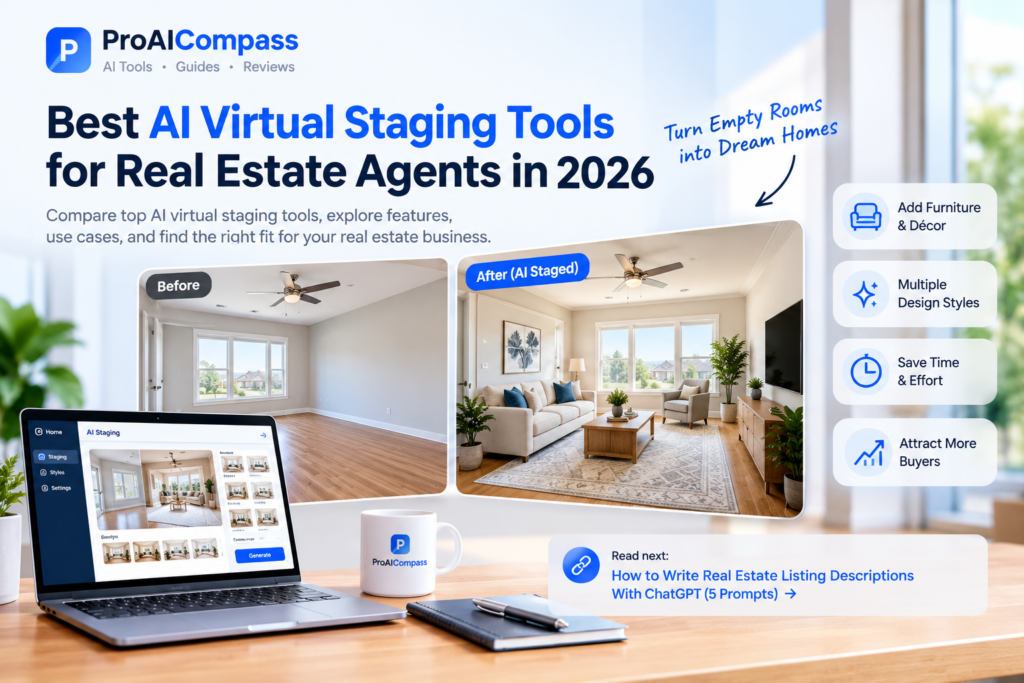
Best AI Virtual Staging Tools for Real Estate Agents in 2026
Virtual staging helps real estate agents present vacant properties with a more inviting look by adding digital furniture, décor, and interior design elements to listing photos. Instead of physically furnishing an empty room, an agent can use an AI-powered tool to create a furnished version of the space.
But not every virtual staging tool is right for every property. Some are designed for quick room transformations, while others offer more control over interior styles, room types, and image editing.
In this guide, we’ll compare five AI virtual staging tools to help real estate agents choose an option that fits their listings, workflow, and budget.
Looking for a broader list of AI software? Visit our guide to the best AI tools for real estate agents in 2026, which covers tools for writing, marketing, lead generation, video, and workflow automation.
Quick Comparison: AI Virtual Staging Tools
Here are five platforms worth exploring when you need to stage property photos digitally.
| Tool | Best for | What to consider |
|---|---|---|
| Virtual Staging AI | Agents seeking a straightforward staging workflow | Check current image options and output quality |
| REimagineHome | AI-powered property visualization | Review available design and editing controls |
| Collov AI | Interior design and virtual staging workflows | Check whether its features fit your property type |
| Apply Design | Real estate photo staging | Review its workflow and available styles |
| AI HomeDesign | AI-assisted home design and image editing | Confirm which features are included in your plan |
Features, usage limits, and prices can change. Visit each provider’s official website to confirm the current offering before choosing a paid plan.
1. Virtual Staging AI: For a Straightforward Staging Workflow
Virtual Staging AI is an option for real estate professionals who want to turn empty-room photos into furnished-looking images without arranging physical furniture.
Virtual staging can be useful when a property is vacant, a room looks cold in photographs, or potential buyers struggle to imagine how a space could be used.
What to look for
Before choosing Virtual Staging AI, check whether its current workflow supports the room types you photograph most often. Review the available design styles, image output quality, processing limits, and options for correcting an unsatisfactory result.
Potential advantages
- Can help create furnished versions of vacant-room photos.
- May reduce the need to arrange physical furniture for marketing photographs.
- Can provide a visual starting point for presenting a room’s potential.
Limitations to consider
The generated image may not perfectly preserve every architectural detail. Inspect windows, doors, flooring, room dimensions, and furniture placement before publishing the result. Also confirm the current pricing and image-generation limits.
Explore the tool: Virtual Staging AI official website
2. REimagineHome: For AI-Powered Property Visualization
REimagineHome is worth considering if you want to explore AI-assisted property visualization and interior design options.
For example, an agent marketing a vacant living room may want to show how it could look with a sofa, rug, coffee table, lighting, and complementary décor. A staging tool can help create a visual concept that makes the room easier to imagine.
What to look for
Explore the available room transformations, design choices, and image-editing workflow. Test whether the output preserves the property’s important features and whether the available styles fit the type of homes you market.
Potential advantages
- Useful for exploring different interior presentation ideas.
- Can support marketing workflows for vacant or lightly furnished rooms.
- May help agents create more visually engaging listing materials.
Limitations to consider
AI-generated designs are suggestions, not guarantees of how a room will look in real life. Check the image carefully for altered fixtures, inaccurate room proportions, or details that could mislead buyers.
Explore the tool: REimagineHome official website
3. Collov AI: For Interior Design and Staging Ideas
Collov AI is another platform to investigate when comparing AI-powered interior design and staging solutions.
Real estate professionals may find design-oriented tools useful when they need to explore different ways to present a property. A neutral living room, for instance, could be visualized with a contemporary, minimalist, or more traditional design direction.
What to look for
Review the platform’s current features, supported room types, available design styles, and export options. If you plan to use generated images in property listings, pay particular attention to whether the workflow makes it easy to preserve the original room’s layout.
Potential advantages
- Can help explore different visual design directions.
- May support the creation of more polished property marketing images.
- Gives agents another option to compare with dedicated virtual staging services.
Limitations to consider
A visually attractive result is not necessarily an accurate representation of the property. Compare the output with the original photograph and avoid publishing images that imply renovations or features that do not exist.
Explore the tool: Collov AI official website
4. Apply Design: For Real Estate Photo Staging
Apply Design is worth comparing if your main goal is to prepare digitally staged images for real estate marketing.
Virtual staging works best when it helps a potential buyer understand the room without distracting from the property itself. Furniture should look proportionate, walkways should remain plausible, and important architectural details should stay visible.
What to look for
Review its current staging workflow, room and style options, image quality, and available revisions. Before committing to a paid plan, determine whether the tool can produce results that meet your standards for actual listing photographs.
Potential advantages
- Relevant to agents who regularly market vacant properties.
- Offers another option for comparing digital staging workflows.
- May help reduce the time required to create a staged visual concept.
Limitations to consider
Results can vary depending on the source photo, lighting, camera angle, and room complexity. Test a few representative images before making the tool part of your standard workflow.
Explore the tool: Apply Design official website
5. AI HomeDesign: For AI-Assisted Home Design
AI HomeDesign is another option to evaluate when looking for AI-assisted interior design and property-image tools.
Depending on the features currently available in its plans, a platform of this kind may be useful for experimenting with interior design concepts and improving the presentation of property images.
What to look for
Check the official website for current virtual staging capabilities, supported image types, design options, usage limits, and commercial-use terms. Do not assume that every feature is available in every subscription.
Potential advantages
- Provides another platform to compare for design-related tasks.
- May help agents explore alternative ways to present interior spaces.
- Could fit into a broader property marketing workflow if its features match your needs.
Limitations to consider
Check generated images closely and make sure they accurately communicate the property’s condition. Confirm any licensing, privacy, and image-use requirements before using the service for client listings.
Explore the tool: AI HomeDesign official website
How to Choose the Right AI Virtual Staging Tool
The best choice depends on the properties you market, your budget, and how much control you need over the final image. Instead of selecting a tool based only on promotional screenshots, compare the platforms using the same practical criteria.
1. Start with your main use case
Ask what you need most:
- Vacant listings: Focus on tools that can furnish empty rooms.
- Interior design concepts: Look for options that support multiple visual styles.
- Frequent listing work: Check image limits, turnaround time, and workflow efficiency.
- More control over the result: Review editing options and how easily you can regenerate or correct an image.
2. Compare the output, not just the interface
If possible, test two or three tools with the same suitable room photograph. Use comparable settings and assess the results side by side.
Check these details:
- Does the room retain its original shape?
- Are windows, doors, and fixtures represented accurately?
- Does the furniture look proportional to the space?
- Are shadows and lighting reasonably consistent?
- Are there strange objects or visual distortions?
- Can you correct mistakes without starting over?
This simple test can tell you more than a feature list alone.
3. Calculate the real cost
Do not compare tools only by their advertised starting price. Check the number of images included, credit limits, paid revisions, subscription requirements, and commercial-use terms.
If you stage properties regularly, estimate your expected monthly usage before choosing a plan. A low entry price may not be the most economical option if you need many images or repeated revisions.
4. Check privacy and usage terms
Before uploading client property photographs, review the provider’s privacy policy and terms. Confirm how uploaded images are processed, whether they may be retained or used to improve services, and what rights you have to use the generated output.
Your agency may also have its own rules for handling property photographs and client information.
Best Practices for Using AI Virtual Staging in Real Estate
Virtual staging can improve the visual presentation of a listing, but the result must not misrepresent the property.
Preserve the property’s real features
Do not allow an AI tool to hide cracks, water damage, structural issues, or other material conditions. Make sure the final image does not imply that a permanent fixture, renovation, or physical feature exists when it does not.
Disclose virtually staged images when required
Check your MLS requirements, brokerage policies, and applicable local rules before publishing staged photographs. Some requirements may call for a clear label, the original photograph, or both. Use the original image alongside the staged version when required or when it helps buyers understand the difference.
Keep the original photograph
Save an unedited copy of every property image. It helps you verify the transformation and respond to questions about what was changed.
Review every image before publishing
AI can introduce distorted furniture, inconsistent shadows, inaccurate windows, or other visual errors. Inspect the entire image at full size rather than checking only the thumbnail.
Avoid misleading listing descriptions
A virtually staged room should not be described as physically furnished if the furniture is only digital. Keep the written listing accurate and consistent with the actual property.
A Simple Virtual Staging Workflow for Agents
You can use the following process to introduce virtual staging into your marketing routine.
- Take a clear photograph. Use a well-lit image that shows the room’s real layout.
- Keep the original file. Save an untouched copy before uploading anything.
- Choose a staging tool. Select one that supports your room type and desired style.
- Generate the staged image. Start with a design that complements the property rather than distracting from it.
- Check accuracy. Compare the generated result with the original photograph.
- Correct or reject errors. Do not publish an image with misleading or unrealistic changes.
- Add required disclosure. Follow the applicable MLS, brokerage, and local requirements.
- Publish responsibly. Keep the original available and make sure the listing description remains accurate.
Frequently Asked Questions
What is AI virtual staging?
AI virtual staging uses artificial intelligence or AI-assisted image editing to add digital furniture and décor to photographs of interior spaces. It helps viewers imagine how an empty room could be arranged without physically furnishing it.
Is AI virtual staging better than physical staging?
It depends on the property and marketing goal. Digital staging can be convenient for vacant listings and online photographs. Physical staging shows the actual furniture and room presentation in person. Agents should compare cost, time, property type, and buyer expectations before choosing.
Are AI virtual staging tools free?
Pricing and free options vary by provider and can change. Some services may offer limited free use, trials, credits, or paid plans. Check each official website for current terms before uploading images or purchasing a subscription.
Can I use virtually staged images in MLS listings?
Rules vary by MLS and location. Review the requirements that apply to your listing and brokerage before publishing. Where disclosure or an original image is required, follow that requirement carefully.
Do AI staging tools always preserve the room accurately?
No. Generated images can alter details such as windows, fixtures, room proportions, or furniture placement. Always compare the staged image with the original and reject any result that could mislead a potential buyer.
Which AI virtual staging tool should I choose?
Start with your main use case, then compare two or three tools using the same room photograph. Evaluate output accuracy, available styles, editing options, pricing, privacy terms, and commercial-use rights before making a decision.
Final Thoughts
AI virtual staging can help real estate agents present vacant properties more effectively, but the quality of the final image matters more than the number of features a platform advertises.
Virtual Staging AI, REimagineHome, Collov AI, Apply Design, and AI HomeDesign are five options worth investigating. Compare their current capabilities, test the output where possible, and choose the service that fits your workflow and budget.
Most importantly, preserve the property’s real features and follow the disclosure rules that apply to your listing. AI should help buyers visualize a space—not give them a false impression of what they are purchasing.
Want to explore more tools for your real estate business? Read our guide to the best AI tools for real estate agents in 2026 for more options across writing, marketing, lead generation, and automation.
Editorial note: Tool descriptions are based on their general product positioning and are not a claim that every feature has been independently tested. Check official provider websites for current features, prices, and terms.