Last updated: October 2026
You’ve got photos from the photographer, a listing going live Friday, and no time to cut a video. Or you’ve been meaning to post a market update for weeks, but filming, editing, and captioning keep sliding down the list. That’s usually where video stalls for agents: not the idea, but the production.
AI video tools can take some of that weight. Some turn listing photos into a short promo. Some clean up and caption footage you’ve already shot. Others build a video from a script. They don’t all do the same job, so picking the wrong one wastes money and time.
Here are five worth looking at, what each one is good for, and how to choose.
Quick Picks
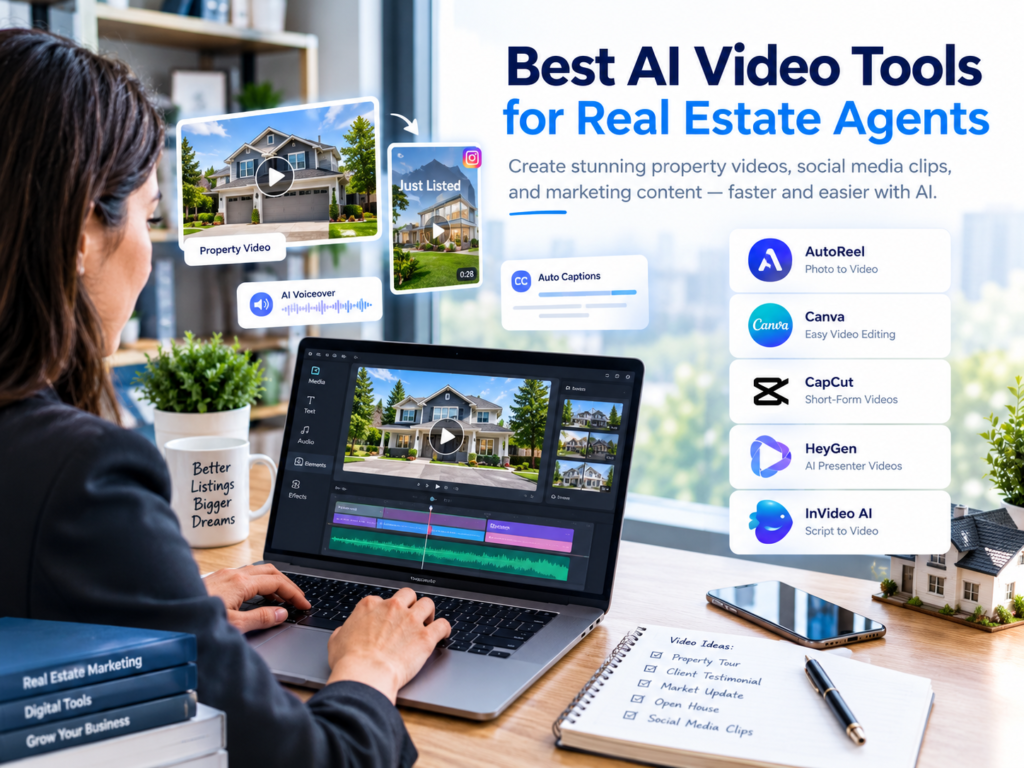
- Listing photos to video: AutoReel
- Branded marketing videos: Canva
- Editing your own footage into Reels: CapCut
- Presenter-style educational videos: HeyGen
- Script-to-video drafts: InVideo AI
What Are AI Video Tools for Real Estate Agents?
They’re tools that use AI to help with video creation and editing: building a video from photos or a script, generating captions and voiceovers, suggesting scenes, and resizing clips for different platforms.
Agents commonly use them to:
- Turn property photos into a short video
- Edit and caption recorded walkthroughs
- Make Instagram Reels and YouTube Shorts
- Add subtitles and voiceovers
- Create market updates and neighborhood guides
- Reuse one video across several platforms
One distinction matters more than any feature list: does the tool work with real property footage, or does it generate new visuals? For a listing, the video has to show the actual home. AI-generated scenes should never mislead anyone about a layout, a feature, the condition, or the surroundings.
5 AI Video Tools for Real Estate Agents
This comparison is based on what each product is designed to do and what its official site says. It isn’t a ranking from independent hands-on testing, and no tool is right for every agent. [তোমার অভিজ্ঞতা: কোন টুল তুমি নিজে চালিয়েছ, সেটা এখানে লেখো]
1. AutoReel: Best for Turning Listing Photos Into Property Videos
AutoReel is built for real estate. According to its website, it can turn property photos into marketing videos, with options like portrait and landscape formats, voiceovers, branding, and virtual staging.
If you already have good listing photos but no finished video, this saves a lot of manual editing. Upload the photos, pick a format, add your branding, and you have something to post.
Where to be careful: the number of photos, export options, watermarks, and features depend on your plan. Check every generated scene for odd distortions, because a video built from photos isn’t the same as a real walkthrough, and viewers shouldn’t be led to think it is.
Best for: listing agents who regularly get professional photos and want a fast promo video.
See the official AutoReel website for current features and plans.
2. Canva: Best for Branded Real Estate Marketing Videos
Canva suits agents who want polished videos without learning professional editing software. Its video editor offers timeline editing, templates, captions, animation, resizing, and AI-assisted features, though what’s included depends on your plan.
A typical use: combine approved listing photos, a short intro, a few verified details, and your contact information into a branded listing video. Since you’re probably already using Canva for graphics, your colors, logo, and fonts stay consistent across everything.
Where to be careful: some AI features and assets need a paid plan, and templates look generic if you don’t customize them. You still pick the footage and check the details.
Best for: solo agents and small teams who want control over how their videos look.
Explore Canva’s video editor and its real estate video templates.
3. CapCut: Best for Short-Form Social Media Videos
CapCut is popular for Reels, TikToks, and other short-form video. It offers timeline editing, templates, text overlays, and AI-assisted auto captions, though features vary by device, region, and version.
It works best when you already have footage: a property walkthrough, a quick market explanation, a neighborhood stroll. You trim the dead air, add captions and music, and export a vertical clip.
Where to be careful: auto captions often stumble on names, street names, and real estate terms, so read every line before posting. Also check the licensing on any music you add if the video is promoting your business.
Best for: agents who film their own footage and want to turn it into short, social-ready clips.
See the official CapCut video editor.
4. HeyGen: Best for AI Presenter Videos
HeyGen creates presenter-style videos from scripts using AI avatars. Depending on the workflow, you can also build a digital version of yourself, which involves a recording and consent process.
This fits recurring educational content: the steps of buying a home, a seller prep checklist, a monthly market recap. You write the script and skip filming a fresh intro every time.
Where to be careful: an avatar can feel less personal than a real video of you, and some features need a paid plan. Get proper consent before using anyone’s likeness or voice, and consider letting viewers know when a presenter is AI-generated. Market figures and property claims still need your verification.
Best for: agents who publish educational videos regularly and like a presenter format.
Visit HeyGen’s official website for current avatar and voice features.
5. InVideo AI: Best for Script-Based Video Creation
InVideo AI is a general-purpose tool that turns an idea or prompt into a video draft. Its workflow covers script creation, visuals, voiceovers, subtitles, and editing.
For agents, it’s a fit for educational content such as home-buying guides, neighborhood explainers, and marketing concepts that start from a script. It isn’t a property-specific tool. A generated visual proves nothing about a particular room or view, so don’t use it to represent a real listing.
Where to be careful: generated footage may not match the actual property, and models, limits, exports, and pricing can change. Check every claim and every visual.
Best for: agents who want to turn written ideas into video drafts.
See the official InVideo AI video generator.
AI Video Tools for Real Estate Agents Compared
| Tool | Best use | Starting material | Real footage or generated? |
|---|---|---|---|
| AutoReel | Property listing videos | Listing photos | Your real photos |
| Canva | Branded marketing videos | Photos, clips, templates | Your real media |
| CapCut | Short-form social videos | Recorded footage | Your real footage |
| HeyGen | Presenter-led educational videos | Script and avatar | Generated presenter |
| InVideo AI | Script-based explainers | Prompt or script | Mostly generated visuals |
These overlap, but they aren’t interchangeable. Before you pay for anything, confirm current pricing, export quality, watermark rules, commercial usage terms, and regional availability.
How to Choose the Right AI Video Tool
Start with what you produce most often.
You mostly have listing photos. Look at a real estate-specific photo-to-video tool like AutoReel. Test how it handles transitions, portrait exports, and branding.
You want branded listing promos. Canva is a practical starting point because editing and design sit in one place.
You already film property tours. CapCut lets you edit the real footage, add captions, cut pauses, and make a shorter version for social.
You want to explain market trends on camera. HeyGen is worth a try. Compare the result with a real recording and see which one your audience responds to.
You start with a written script. InVideo AI can turn an outline into a first draft. Replace anything that could misrepresent a real listing.
How to Make a Real Estate Video With AI: Simple Workflow
You don’t need every feature. A basic routine is enough.
- Pick one goal. Showcase a property, explain a buying step, promote an open house, or answer a client question.
- Gather verified material. Approved photos, accurate details, and footage you have permission to use.
- Write a short script. Open with a hook, give the key information, end with a clear next step. No exaggerated promises.
- Create and edit. Choose the tool for the format you need. Add captions, branding, and licensed music.
- Check everything. Property details, spelling, captions, transitions, and whether anything implies a feature the home doesn’t have.
- Export for the platform. Check aspect ratio, resolution, watermarks, and any brokerage or MLS requirements.
- Review the results. Watch time, saves, inquiries, and qualified leads matter more than raw views.
Real Estate Video Accuracy and Compliance Tips
AI makes editing easier, but it can also introduce mistakes that matter in property marketing. Before you publish:
- Use photos and footage you’re authorized to use
- Verify square footage, room counts, features, prices, and availability
- Don’t generate visuals that misrepresent the home
- Read captions, voiceovers, and scripts for inaccurate claims
- Use non-discriminatory language and follow fair housing rules
- Follow your brokerage, MLS, platform, and advertising requirements
- Use properly licensed music
- Get consent before using client footage, personal data, or anyone’s digital likeness
For a real listing, the video should help people understand the property, not give them a rosier picture than reality.
Frequently Asked Questions
What is the best AI video tool for real estate agents?
It depends on what you start with. AutoReel is built for property-photo videos, Canva for branded marketing, CapCut for editing short clips, HeyGen for presenter-style videos, and InVideo AI for script-based drafts.
Can AI create a property video from photos?
Yes. Some tools animate or sequence photos into a video. Review the result so it doesn’t alter or misrepresent the actual property.
Are there free AI video tools for real estate agents?
Several tools offer free plans or trials, but limits like watermarks, export quality, and feature access vary. Check each provider’s current plan page before relying on a free version for client-facing videos.
Can AI replace a real estate videographer?
For quick social clips and photo-based promos, AI tools can cover a lot. For high-end listings or cinematic walkthroughs, a professional videographer may still produce better work. Many agents use both.
Which AI video tool is easiest for beginners?
Canva and CapCut are generally approachable for beginners, but ease depends on you. Start with one small project, like a short buyer tip, before paying for advanced features.
Should agents use AI-generated footage in listing videos?
Be careful. Generated footage may be fine for clearly illustrative or educational content, but it shouldn’t pass as a recording of a real property. Follow your advertising, MLS, brokerage, and disclosure rules.
Can real estate videos help generate leads?
They can support your marketing by helping people find you and learn how you work. Results depend on the content, audience, market, and your follow-up. No tool guarantees leads or sales.
Final Thoughts
AI video tools can cut the production work behind property promos, social clips, and explainers. The right one depends on what you start with: photos, footage, a script, or a presenter idea.
Pick one recurring video task, choose the tool that fits it, and test before you commit to a paid plan. Accurate information and clear communication matter more than flashy effects.
Want to use AI in other parts of your business? Read our guides to AI social media content for real estate agents, AI email writing tools for real estate agents, and the best AI virtual staging tools for real estate agents.
You can also start with our broader guide to the best AI tools for real estate agents.
Editorial note: Product features, plans, and pricing change often. Verify current details on each provider’s official website before you buy. This guide compares use cases and published product information; it does not claim independent hands-on testing of every tool.