Last updated: October 2026
A buyer fills out a form at 10 p.m. A seller texts you back after a week of silence. Two open-house guests are still waiting to hear from you. If those details live in your inbox, your phone notes, and a half-finished spreadsheet, something will eventually slip through.
A CRM fixes that by keeping contacts, conversations, and tasks in one place. An AI CRM goes further, because it may help prioritize leads, draft messages, summarize conversations, or automate routine steps. However, “AI” means different things in different products, and the right pick depends on your team size, lead sources, budget, and habits.
So, this guide compares six platforms worth evaluating, explains which features matter, and helps you choose without overpaying.
Quick Picks
- Integrated real estate platform: Lofty
- Lead follow-up and team workflows: Follow Up Boss
- Flexible general sales CRM: Freshsales
- Real estate-focused organization: Wise Agent
- CRM plus marketing tools: HubSpot
- Website-driven lead generation: Sierra Interactive
What Is an AI CRM for Real Estate Agents?
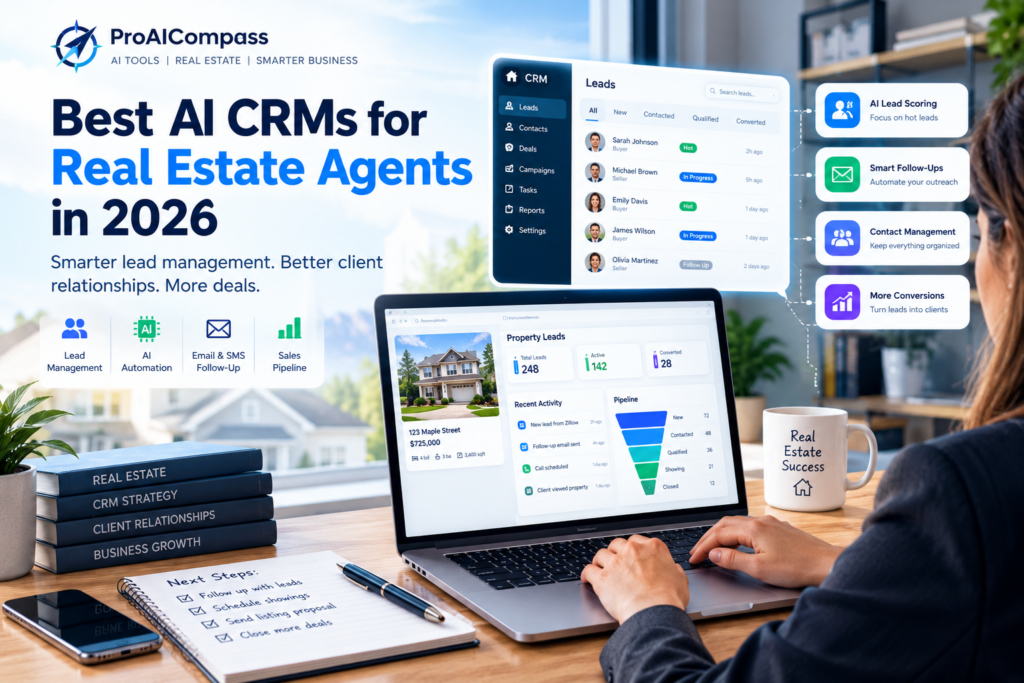
A real estate CRM stores contact details, tracks conversations, manages leads, and shows where each prospect sits in your pipeline. An AI-powered version adds things like lead prioritization, AI-assisted writing, conversation summaries, or automated workflows, depending on the platform and plan.
Imagine a buyer who submits a property inquiry. The CRM records it, reminds you to follow up, and, if the feature exists, helps draft a reply. In practice, that means fewer dropped leads and less time on repetitive admin.
Of course, AI doesn’t replace the relationships that make agents successful. Instead, it takes some of the repetitive work off your plate so you can respond more consistently.
6 AI CRMs for Real Estate Agents to Consider
This list is based on each company’s published product information. It isn’t a ranking, and it doesn’t come from independent hands-on testing. Likewise, the “best for” labels describe a use case, not a verdict, and AI features vary by plan. [তোমার অভিজ্ঞতা: কোন টুল নিজে চালিয়েছ, সেটা এখানে লেখো]
1. Lofty: Best for an Integrated Real Estate Platform
Lofty combines CRM features with lead generation, marketing, and website-related tools. As a result, agents and teams can manage several parts of their online lead workflow in one place.
That setup appeals to people tired of juggling separate apps. On the other hand, a broad platform takes time to configure, so review the plans, onboarding requirements, and feature limits before committing. Also confirm which AI-assisted features come with the plan you’d actually buy.
Best for: agents and teams who want one platform for leads and marketing.
2. Follow Up Boss: Best for Lead Follow-Up
Follow Up Boss is a real estate CRM built around lead organization, communication, and team follow-up. When inquiries arrive from several sources, a central system helps make sure each lead is assigned, tracked, and contacted.
Its value depends partly on the tools you already use. Therefore, confirm the integrations you need and check which AI-related features your plan includes. For a closer look at this use, see our guide to AI follow-up tools for real estate agents.
Best for: solo agents and teams who need a structured process for responding to leads.
3. Freshsales: Best for Flexible Sales Workflows
Freshsales is a general sales CRM from Freshworks, with contact management, pipeline tracking, workflow automation, and reporting. AI-assisted sales features may be available on certain plans.
It isn’t built only for real estate, which cuts both ways. You get flexibility, but real estate-specific workflows may need extra setup or integrations. Before you choose it, check that it supports your lead sources and communication channels.
Best for: agents and small businesses comfortable configuring a general-purpose CRM.
4. Wise Agent: Best for Real Estate-Focused Organization
Wise Agent is a CRM designed for real estate professionals, covering contact management, transaction organization, marketing, and relationship follow-up. If you’d rather use a real estate-oriented system than a broad sales tool, it’s worth a look. [Wise Agent লিংক: official সাইট থেকে সঠিক URL বসাও]
Still, don’t assume every workflow is AI-powered. Compare its current automation and AI capabilities against the features you actually need.
Best for: individual agents who want real estate-focused CRM functionality.
5. HubSpot: Best for CRM and Marketing Together
HubSpot pairs a CRM with sales, marketing, and customer communication tools. That combination helps if you also run email campaigns, content marketing, and website forms.
However, it isn’t a real estate CRM, so setup matters. Advanced automation and some AI features may need paid plans, so check contact-based pricing and integration needs before you pick a tier.
Best for: agents and businesses who want CRM activity tied to broader marketing.
6. Sierra Interactive: Best for Website-Driven Leads
Sierra Interactive combines real estate website technology, lead generation, and CRM workflows. It suits businesses that get a large share of leads through their own websites.
Even so, it may be more than a solo agent needs. Weigh the overall cost, the implementation process, and what’s included in the package.
Best for: teams and brokerages who want their website and lead management to work together.
AI CRM Comparison
| CRM | Type | Main strength | Best fit |
|---|---|---|---|
| Lofty | Real estate platform | Integrated leads and marketing | Agents and teams |
| Follow Up Boss | Real estate CRM | Lead management and follow-up | Agents and teams |
| Freshsales | General sales CRM | Flexible sales workflows | Agents wanting a general CRM |
| Wise Agent | Real estate CRM | Real estate-focused organization | Individual agents |
| HubSpot | CRM and marketing | Marketing integration | Marketing-focused businesses |
| Sierra Interactive | Website and CRM | Website-driven leads | Website-led teams and brokerages |
Treat this table as a starting point, not a ranking. Before you decide, compare current costs, AI features, integrations, onboarding, and contract terms on each provider’s official site.
Features to Look for in an AI Real Estate CRM
An “AI” label alone isn’t enough. Instead, look for features that solve a real problem in your day.
Lead capture and organization. Your CRM should pull leads from your website, ads, and referrals, then record where each came from. In addition, it should let you sort contacts by needs and stage.
AI lead scoring. Some platforms help you see who needs attention first. Keep in mind that scores are estimates, not proof that someone is ready to transact, so combine them with real conversations.
Email and text automation. Follow-up sequences, templates, and AI-drafted messages keep contact consistent. Even so, review every AI draft before it goes out.
Integrations. If leads arrive from a website, ad platform, or listing service, confirm the CRM supports those sources. Also ask whether any integration costs extra.
Mobile access and reporting. You spend your day away from a desk, so a usable mobile app matters. Reporting on response time, appointments, and conversion helps you see what’s working.
Privacy and security. A CRM holds names, contact details, and transaction information. Therefore, check access controls and data policies, and give team members access only to what they need.
How to Choose the Right AI CRM
Solo agents usually need simple contact management, reminders, mobile access, and easy follow-up. Start with the smallest plan that covers those, and skip team features you won’t use.
Small teams need shared records, lead assignment, and task visibility. If several agents touch the same leads, confirm how the CRM prevents duplicate outreach.
Brokerages often need role-based permissions, cross-team reporting, and several lead sources. Moreover, implementation and training time deserve as much attention as features, because a powerful system is worthless if agents don’t use it.
How Much Does an AI Real Estate CRM Cost?
Prices vary by provider, plan, user count, and add-ons. Rather than comparing only the advertised monthly fee, look at the total cost, which may include:
- Monthly or annual subscriptions
- Extra users or team seats
- Premium automation and AI features
- Website, lead-source, or marketing integrations
- Onboarding or training
- Messaging or other usage-based charges
Some providers offer free plans or trials, but limits vary, so confirm current terms. Above all, a pricier CRM isn’t automatically better. It only earns its cost if it saves time or improves how you handle leads.
How to Get Started
You don’t need to automate everything on day one.
- Name your biggest problem. Missed follow-ups, scattered contacts, slow response, or a blurry pipeline?
- List your must-have integrations. Websites, lead sources, email, calendar, and messaging tools.
- Test a shortlist. Use a trial or demo against your real workflow.
- Build one process first. For example, a reminder and template for new buyer inquiries.
- Measure results. Track follow-up consistency, response time, appointments, and conversions over time.
CRM Compliance Basics for US Agents
Automation can break communication rules by accident. For US agents, keep these in mind:
- Email: CAN-SPAM requires an honest subject line, your physical address, and a working unsubscribe option for marketing emails.
- Text messages: the TCPA generally requires consent before marketing texts, especially automated ones, so keep records.
- Calls: check the National Do Not Call Registry and state rules.
- Opt-outs: honor every request to stop right away.
Rules differ by state and country and change over time. Accordingly, confirm current requirements with your broker or attorney. This isn’t legal advice.
Frequently Asked Questions
What is the best AI CRM for real estate agents?
It depends on your needs. Lofty and Follow Up Boss are worth evaluating for real estate-focused workflows, while Freshsales and HubSpot suit agents who want broader sales and marketing tools. Compare current features, integrations, and costs first.
Is there a free AI CRM for real estate agents?
Some providers offer free plans or trials. However, AI features, automation limits, and integrations differ, so check current plan details before relying on one.
Can an AI CRM automatically follow up with leads?
Some can run scheduled sequences, reminders, or AI-assisted messages. The exact capabilities depend on the provider and plan, and you should review messages for accuracy and consent.
What’s the difference between a CRM and an AI follow-up tool?
A CRM organizes contacts, conversations, and your pipeline. A follow-up tool focuses on messaging, and many CRMs now include that. If you only need help writing messages, a writing assistant may be enough.
Do solo agents need a CRM?
Not always at the very start. Still, once leads and conversations outgrow a spreadsheet, a simple CRM prevents missed follow-ups.
How long does it take to set up a real estate CRM?
It varies a lot. A simple CRM may take hours, whereas an all-in-one platform with website and lead integrations can take much longer, so ask each provider about onboarding.
Is my client data safe in a CRM?
Not automatically. Read the provider’s security and privacy terms, limit team access, and follow your brokerage’s policies.
Final Thoughts
An AI CRM can help you organize leads and follow up more consistently. However, the best option isn’t the one with the most AI features. It’s the one that fits your workflow and helps you serve clients better.
If you want real estate-focused lead management, look at Lofty or Follow Up Boss first. If you need broader sales and marketing tools, consider Freshsales or HubSpot. Wise Agent and Sierra Interactive are also worth a look for their real estate-oriented approaches.
Before subscribing, compare current pricing, test the features you’ll use most, and confirm the integrations you need. Then pick two or three CRMs from this list and trial the one that matches your business.
For more ideas, read our guides to the best AI tools for real estate agents, AI lead generation tools for real estate agents, AI email writing tools for real estate agents, and AI listing presentation tools for real estate agents.
Editorial note: This guide is based on publicly available product information, not independent hands-on testing. Features, plans, and pricing change often. Confirm current details with each provider before you buy.