
Last updated: November 2026
You shot 40 photos for Friday’s listing. The living room windows are blown out, the kitchen looks yellow, and the hallway lines lean slightly to the left. Fixing all of that by hand can eat an evening. For many agents and photographers, that’s exactly the problem AI photo editing tries to solve.
AI real estate photo editing tools can merge bracketed exposures, balance light, correct color and straighten vertical lines in minutes. However, they don’t all work the same way. Some are automated services built for property photos, while others are desktop editors that give you more control and ask for more of your time.
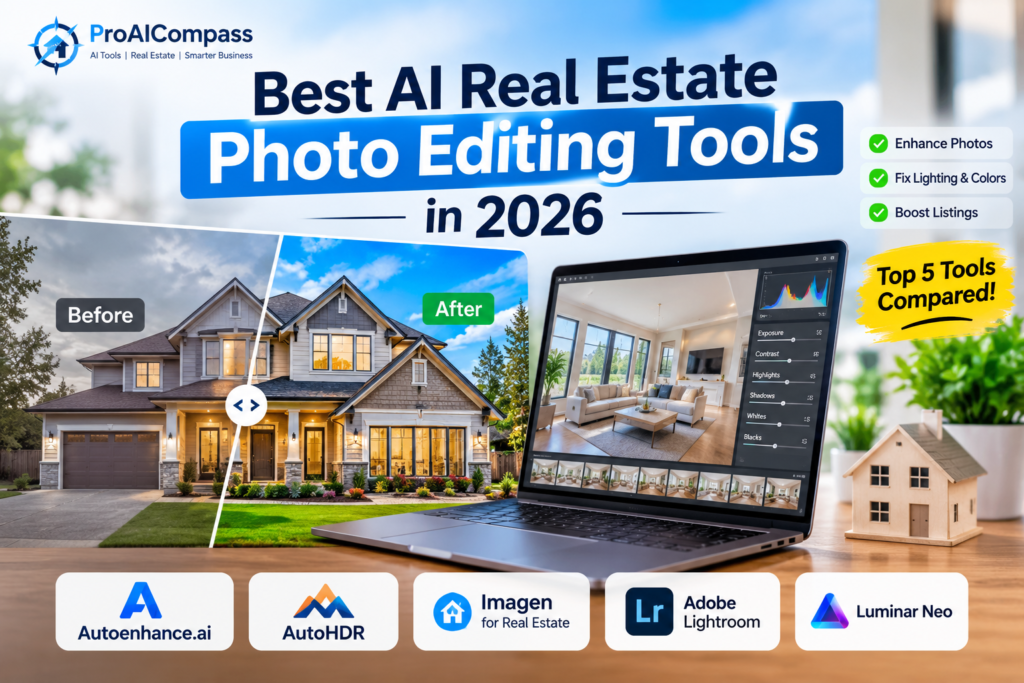
So, this guide compares five options: Autoenhance.ai, AutoHDR, Imagen for Real Estate, Adobe Lightroom Classic, and Luminar Neo. You’ll see what each is best for, how pricing works, and how to avoid edits that mislead buyers.
Quick Picks
- Automated, property-focused editing: Autoenhance.ai
- HDR-focused workflow with a free tier: AutoHDR
- Batch editing for full shoots: Imagen for Real Estate
- Maximum manual control and RAW editing: Adobe Lightroom Classic
- AI-assisted creative adjustments: Luminar Neo
What Is AI Real Estate Photo Editing?
It’s the use of automated or AI-assisted processes to improve property photos. Depending on the tool, that can include exposure correction, HDR merging, window pulls, color balancing, perspective correction and batch processing.
AI Photo Editing vs. Virtual Staging
These two get confused often. Photo editing improves an existing photo by fixing brightness, white balance, contrast and vertical lines. Virtual staging, on the other hand, adds digital furniture to an empty room, so it changes what the room appears to contain. If that’s what you need, see our guide to AI virtual staging tools for real estate agents.
What Can AI Photo Editors Do?
- Exposure correction: balances bright and dark areas.
- HDR merging: combines several exposures to keep detail in both shadows and highlights.
- Window pulls: balances interior light with the view outside.
- Color correction: makes white walls look white.
- Perspective correction: straightens vertical architectural lines.
- Batch editing: applies one workflow to a whole shoot.
Results depend on the tool and your source photos. Complex scenes still need a human check.
5 AI Real Estate Photo Editing Tools to Consider
This list comes from each company’s published information, not independent hands-on testing, and it isn’t a ranking. Likewise, the “best for” labels describe a use case, not a verdict. [তোমার অভিজ্ঞতা: কোন টুল নিজে চালিয়েছ, সেটা এখানে লেখো]
1. Autoenhance.ai: Best for Automated Property Photo Enhancement
Autoenhance.ai is built around real estate photos. Its features page lists HDR merging, window pulling, sky replacement, perspective correction, white balance and color correction, among others.
The main appeal is time. Instead of adjusting every photo from scratch, you upload images, choose your preferences and review the results. Notably, you can preview watermarked enhancements for free before you pay, and then you pay per image or choose a subscription to download full-resolution files. Check the official pricing page for current rates.
Still, automated results need review, and results depend on the original photos. Test a bright living room, a darker interior and an exterior before you commit.
Best for: agents and photographers who want to cut repetitive editing.
2. AutoHDR: Best for HDR-Focused Workflows
AutoHDR focuses on real estate photo editing, with HDR editing alongside other property tools. Its pricing page currently lists a free plan with 10 photos per month. It also lists a Standard plan at $265 per month for 500 photos, which works out to about $0.53 per photo, though yearly billing is cheaper. Those figures were accurate when we checked on November 1, 2026, and they may change.
Because the free tier is small but real, it’s an easy way to test the results on your own photos. Keep in mind that credit costs can differ by feature, so confirm what your plan includes. Some extras, such as virtual staging, may use additional credits.
Best for: property photographers who want an online workflow built around HDR.
3. Imagen for Real Estate: Best for Batch Editing
Imagen for Real Estate is a browser-based web app for property photos. According to the company, it supports batch processing, per-photo adjustments, and JPEG and RAW uploads, with JPEG output.
For people who shoot several listings a week, consistency matters as much as speed. A batch workflow helps keep a similar look across a whole gallery. The real estate web app has its own pricing, including pay-as-you-go and custom volume pricing, which can differ from Imagen’s general editing plans. Therefore, check the current terms on the product page before comparing it with per-image services.
On the other hand, it may be more than you need if you edit only a few photos each month.
Best for: photographers and teams who process many property images.
4. Adobe Lightroom Classic: Best for Manual Control
Lightroom Classic isn’t a real estate-specific tool. It’s a broad photo editor with detailed control over exposure, color and RAW files, plus HDR Photo Merge for bracketed shots, which Adobe explains in its HDR Merge guide.
It’s the most hands-on option here. As a result, you get precise results and a repeatable style through presets, but you also spend more time per photo and face a learning curve. Adobe’s pricing depends on plan, region and billing, so see the official plans page.
Best for: photographers who want control and already work with RAW files.
5. Luminar Neo: Best for AI-Assisted Adjustments
Luminar Neo is a general photo editor with AI tools for relighting, enhancement, sky replacement and cropping. For property photos, those can help with lighting and composition.
However, it isn’t built for real estate, so some tools need experimentation to look natural. Also, licensing and access to certain AI features differ by plan, so review the official pricing page before buying.
Best for: photographers who want AI-assisted tools with creative control.
AI Real Estate Photo Editing Tools Compared
| Tool | Workflow | Best reason to try it | What to check |
|---|---|---|---|
| Autoenhance.ai | Automated, property-focused | Common listing fixes, free watermarked preview | Download cost, output quality |
| AutoHDR | Online, HDR-focused | HDR plus free tier | Credits and feature costs |
| Imagen for Real Estate | Cloud, batch-oriented | Consistent full-shoot editing | Usage pricing, team needs |
| Lightroom Classic | Desktop, hands-on | Fine control and HDR merge | Learning curve, editing time |
| Luminar Neo | AI-assisted desktop editor | Flexible adjustments | License terms, AI access |
How Much Does AI Real Estate Photo Editing Cost?
There’s no single model. Some services charge per image, some use monthly credit plans, and general editors sell subscriptions or licenses.
A quick example shows why volume matters. Suppose you edit 100 photos a month. At the AutoHDR Standard plan’s listed rate, you’d pay for 500 photos’ worth of credits ($265), even though you only use 100. A pay-per-image service might cost less at that volume, while a heavy user might save money on a subscription. So, don’t pick the plan with the lowest advertised rate. Instead, calculate the cost per finished image at your real volume.
Also count your time. A pricier tool can still pay off if it saves hours, but measure that rather than assume it.
How to Choose the Right Tool
If you’re an agent, start with ease of use. For a few listings at a time, an automated service with a free preview is usually enough, and a full desktop workflow is probably overkill.
If you’re a photographer, prioritize RAW support, HDR quality, color consistency and handling full shoots. Moreover, keep your own style so every property doesn’t look identical.
If you run a marketing team, compare batch processing, team access, delivery workflow and the cost of your actual monthly volume.
If you want maximum control, Lightroom Classic is the safest place to start, as long as you accept the extra time.
A Practical Editing Workflow
- Keep the originals. Store them separately so you can check edits against reality.
- Pick suitable photos. AI can’t fix severe blur or missing detail.
- Test a small batch. Try a bright interior, a dark room, an exterior and a mixed-lighting shot.
- Check exposure and color. Walls, floors and shadows should look natural.
- Check lines and details. Look at door frames, windows and mirrors, where AI sometimes leaves odd artifacts.
- Export correctly. Match your listing platform’s size and format needs.
- Verify before publishing. Compare with the originals and follow MLS and brokerage rules.
Common Problems With AI-Edited Property Photos
Blown-out or fake-looking windows. A pulled window can show an outdoor view that doesn’t match the real one. Review these closely, especially if the view is a selling point.
Unnatural colors. Walls drift blue or yellow, and wood floors change shade. Compare with the original.
Bent architecture. Over-correcting perspective can warp walls and doors.
Edits that mislead. Removing a permanent feature, adding a view that doesn’t exist, or changing a material can deceive buyers. When in doubt, keep the property as it is.
MLS Rules and Disclosure for Edited Photos
Basic corrections like exposure and color are treated differently from changes that alter what a property contains. Rules vary by MLS, brokerage and state, and some require disclosure of digitally altered or staged images. Therefore, check your local MLS rules before publishing, and keep your original files in case anyone asks. This isn’t legal advice.
Frequently Asked Questions
What is the best AI photo editing software for real estate?
It depends on your workflow. Autoenhance.ai and AutoHDR suit automated, property-focused editing. Imagen for Real Estate fits batch work, while Lightroom Classic and Luminar Neo give you broader control. Test the same sample photos in each before deciding.
Can AI edit real estate photos automatically?
Yes. Some tools automate HDR merging, exposure balancing, color correction and perspective fixes. Even so, inspect every final image for unnatural lighting, distorted lines or details that no longer match the property.
What is the best AI tool for HDR real estate photography?
Autoenhance.ai and AutoHDR are property-focused options to evaluate. Lightroom Classic is another, since it merges bracketed exposures. The right pick depends on whether you prefer automatic or manual editing.
Are there free AI real estate photo editors?
Some offer free tiers or previews. For example, AutoHDR lists a free plan with 10 photos a month, and Autoenhance.ai offers free watermarked previews. Limits change, so check each provider’s current page.
Is AI real estate photo editing worth it for agents?
It can be, if editing delays your listings or eats your evenings. Try a small batch first, then compare cost and time against your current process.
Can AI-edited photos be used in MLS listings?
That depends on your MLS rules and the type of edit. Simple exposure and color fixes are often treated differently from adding or removing features. Check your local rules, and never publish edits that misrepresent the property.
What’s the difference between AI photo editing and virtual staging?
Editing improves the photo you already have. Staging adds digital furniture to an empty room, which usually has stricter disclosure expectations.
Final Thoughts
There’s no single best AI photo editor for everyone. Autoenhance.ai and AutoHDR are good places to start if you want automation. Imagen suits big batches, and Lightroom Classic or Luminar Neo suit people who want to stay hands-on.
Before you pay, edit a few representative photos, inspect the results closely, and work out the cost at your real volume. In the end, a fast edit is only useful if the photo still shows the home honestly.
For related ideas, read our guides to AI video tools for real estate agents, AI virtual staging tools for real estate agents, AI social media content for real estate agents, and the best AI tools for real estate agents.
Sources: Autoenhance.ai pricing, AutoHDR pricing, Imagen for Real Estate, Adobe HDR Photo Merge, Skylum Luminar pricing
Disclosure: This guide is based on official product information, not independent hands-on testing of every tool. Features and prices change often. Confirm current details with each provider before you buy.